


The workspace requires no sign-in by default, for use on a local machine or behind your own authentication provider. To require one, set a password or connect an OpenID Connect identity provider.
Set a password with one of these variables when you deploy the workspace:
WS_AUTH_PASSWORD: Plaintext password for web login.WS_AUTH_PASSWORD_HASHED: Argon2 hash used for web login.docker run \
-e WS_AUTH_PASSWORD=super_duper_secret \
ghcr.io/kloudkit/workspace:v0.6.0ℹ️ INFO
The password and OIDC secrets are removed from the editor's environment once it starts, so editor terminals and extensions don't inherit them.
This is not isolation: startup scripts and docker exec shells still receive them, and any process running as kloud can read the editor's original environment from /proc.
Generate the hash with ws-cli in a terminal of any running workspace, replacing super_duper_secret with your password:
$ echo -n super_duper_secret | ws-cli secrets generate login --raw
$argon2id$v=19$m=65536,t=3,p=4$mfRoKKtjdqmC0fE73vEEfQ$tHJBsv7PlXsUYt/BgOUooS+zUJZgZcd/+/tfAY2t6Q8
Then set it as WS_AUTH_PASSWORD_HASHED on the next container, in single quotes so the shell leaves its $ signs alone:
docker run \
  -e WS_AUTH_PASSWORD_HASHED='$argon2id$v=19$m=65536,t=3,p=4$mfRoKKtjdqmC0fE73vEEfQ$tHJBsv7PlXsUYt/BgOUooS+zUJZgZcd/+/tfAY2t6Q8' \
ghcr.io/kloudkit/workspace:v0.6.0Instead of passing passwords as environment variables, you can mount them as files (useful with Docker secrets or Kubernetes Secret projections). Point the variable at the file with the file: prefix, or mount the file at the convention path and leave the variable unset.
docker run \
  -e WS_AUTH_PASSWORD_HASHED=file:/run/secrets/workspace/auth/password_hashed \
  -v ./password_hashed.txt:/run/secrets/workspace/auth/password_hashed:ro \
  ghcr.io/kloudkit/workspace:v0.6.0
See Resolving Secret Values for the full resolution chain and Kubernetes example.
Failed sign-ins are limited per client IP address: two per minute and twelve per hour in total. While the limit is reached, every attempt is refused, even with the right password. Behind a reverse proxy, every user shares the proxy's address and its limit.
A password session renews on every request, so it stays open while you work. It ends WS_AUTH_SESSION_TTL after your last request or WS_AUTH_SESSION_MAX_TTL after you signed in, whichever comes first, and the next page load asks for the password again. Changing the password signs everyone out.
WS_AUTH_SESSION_TTL: Lifetime (seconds) of an authenticated web session.WS_AUTH_SESSION_MAX_TTL: Longest a password session lasts (seconds) from sign-in, however active.To sign in with your identity provider (Keycloak, Entra ID, Authentik, or any OpenID Connect issuer), set WS_AUTH_MODE=oidc. The editor then signs users in itself on WS_SERVER_PORT, the same port as password mode, and checks every request except static assets and /healthz, forwarded ports included. The one exception is a port you make public on its subdomain. The workspace refuses to start when a required setting is missing or a password is also set.
WS_AUTH_MODE: Web authentication mode, either password or oidc.WS_AUTH_OIDC_ISSUER: OIDC issuer URL. Required when WS_AUTH_MODE=oidc.WS_AUTH_OIDC_CLIENT_ID: OIDC client ID. Required when WS_AUTH_MODE=oidc.WS_AUTH_OIDC_CLIENT_SECRET: OIDC client secret. Required when WS_AUTH_MODE=oidc.WS_AUTH_OIDC_ALLOWED_EMAILS: Emails allowed to sign in with OIDC.docker run \
-p 8080:8080 \
-e WS_AUTH_MODE=oidc \
-e WS_AUTH_OIDC_ISSUER=https://idp.example.com/realms/ws \
-e WS_AUTH_OIDC_CLIENT_ID=workspace \
-e WS_AUTH_OIDC_CLIENT_SECRET=file:/run/secrets/workspace/auth/oidc_client_secret \
-v ./oidc_client_secret:/run/secrets/workspace/auth/oidc_client_secret:ro \
-e WS_AUTH_OIDC_ALLOWED_EMAILS="alice@example.com *@team.example.com" \
ghcr.io/kloudkit/workspace:v0.6.0💡 TIP
Serve the workspace over HTTPS. Behind a TLS terminator, forward X-Forwarded-Proto: https so the session cookie is marked Secure and the callback URL uses https.
Register the workspace with your identity provider as a confidential client:
https://<workspace-host>/oauth2/callback.S256.The workspace requests the openid email profile scopes; openid is always added:
WS_AUTH_OIDC_SCOPES: OAuth scopes requested at login.The issuer URL must resolve to the same host from your browser and from inside the workspace container. By default the callback is derived from the host users browse to. To pin it, for example behind a proxy that rewrites the Host header, set one callback per proxy domain:
WS_AUTH_OIDC_REDIRECT_URL: OIDC callback URLs, one per domain.Only the emails in WS_AUTH_OIDC_ALLOWED_EMAILS can sign in. List exact addresses, or *@domain for everyone at a domain; matching ignores case. The email comes from the ID token, or from the userinfo endpoint when the token has none. email_verified is not checked, so allow only domains your identity provider controls.
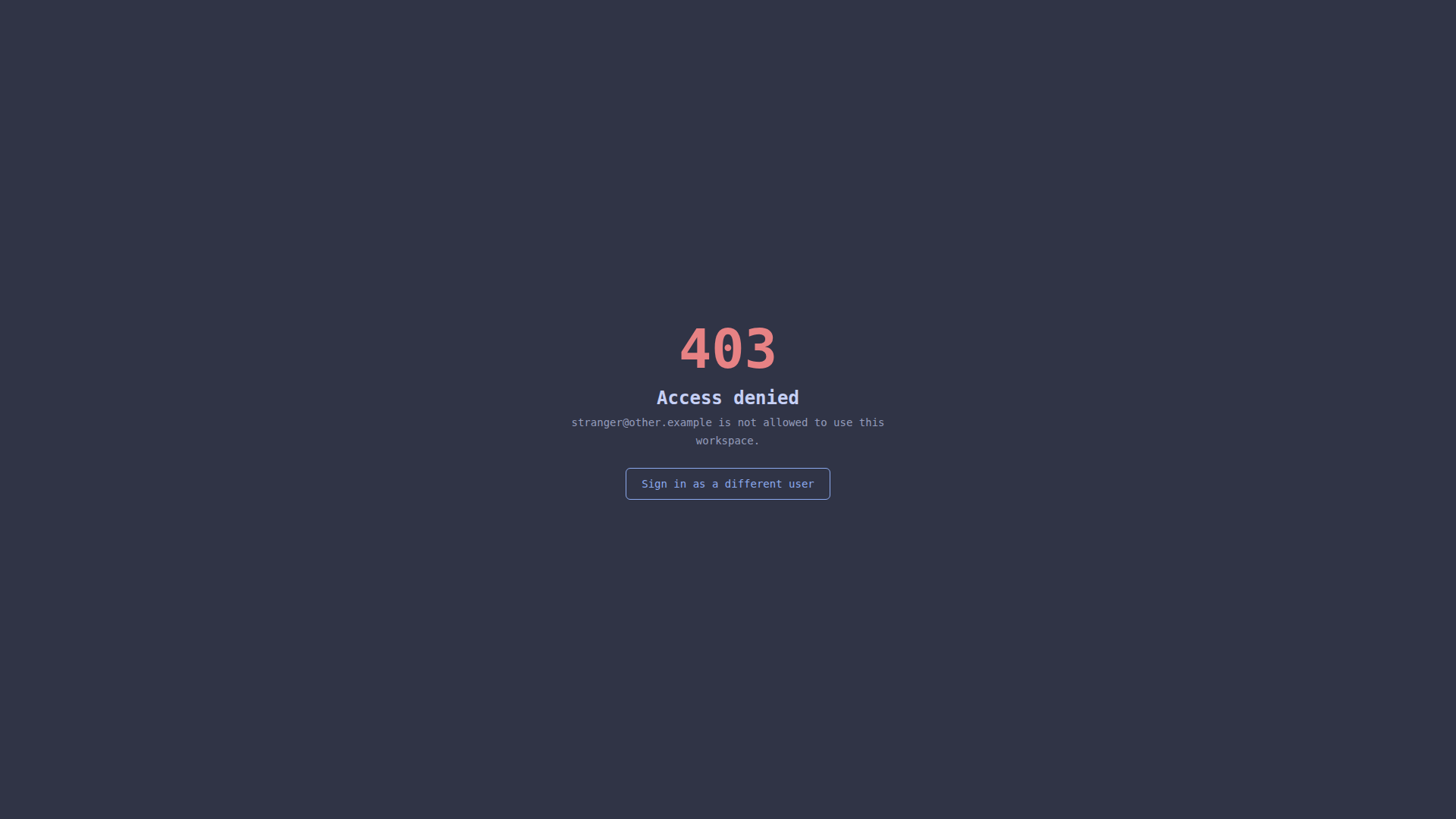
A denied user sees an access-denied page with a Sign in as a different user button. It signs them out, and ends their session at the identity provider too when the provider advertises an end_session_endpoint.
When subdomain access is configured, the session cookie is scoped to the domain in WS_SERVER_PROXY_DOMAIN (ws.example.com for *.ws.example.com). Serve the editor on that domain or a subdomain of it, and one sign-in covers the editor and every forwarded port. With several proxy domains, the most specific one that matches the host wins, and each domain signs in on its own.
⚠️ WARNING
A templated domain widens that scope: {{port}}-ws.example.com shares the session with every site under example.com. Prefer a dedicated subdomain such as *.ws.example.com.
A session lasts WS_AUTH_SESSION_TTL from sign-in and is not extended while you work. When it ends, the next page load signs you in again, without a prompt while your identity provider session is still open.
WS_AUTH_SESSION_TTL: Lifetime (seconds) of an authenticated web session.The cookie secret is generated once and stored in ~/.ws/state, so sessions survive restarts; set it explicitly when you redeploy without that volume or run several replicas:
WS_AUTH_OIDC_COOKIE_SECRET: Secret that seals the OIDC session cookie.Removing an email from WS_AUTH_OIDC_ALLOWED_EMAILS ends that user's session once the workspace restarts. To sign everyone out, change the cookie secret.
⚠️ WARNING
Sign out when you are done working, as a password session stays open for up to WS_AUTH_SESSION_MAX_TTL (seven days) while the editor is in use.
Click the account entry at the right end of the status bar, or run Sign out of Kloud Workspace from the Command Palette. With OIDC the entry shows your email; with a password it reads Sign out. Either way you confirm before the session ends.

The status bar entry and the Sign out of Kloud Workspace command are only shown when a sign-out URL is known. It is derived from the active authentication mode and needs no configuration, but can be overridden:
WS_EDITOR_LOGOUT_URL: Overrides the URL the in-IDE sign-out action navigates to.With OIDC, signing out also ends your session at the identity provider when it advertises an end_session_endpoint, and you land on its signed-out page. Without one, only the workspace session ends, and the next visit may sign you straight back in.
Before v0.6.0, OIDC sign-in ran through a separate proxy on port 38080; since v0.6.0 the editor signs OIDC users in itself, on WS_SERVER_PORT.
8080 instead; WS_SERVER_AUTH_PROXY_PORT and WS_LOGGING_AUTH_PROXY_FILE are gone, and so is ws-cli logs --target auth_proxy.WS_AUTH_OIDC_ALLOWED_EMAILS: the workspace refuses to start without it, or with WS_AUTH_OIDC_ALLOWED_GROUPS set.WS_AUTH_SESSION_TTL (one day) from sign-in, not seven days.WS_AUTH_OIDC_FORBIDDEN_MESSAGE and WS_AUTH_OIDC_SESSION_REFRESH are gone.